
Hardware
KDS routing habits for rush periods
A KDS setup is useful only when the kitchen can trust what appears on each screen.
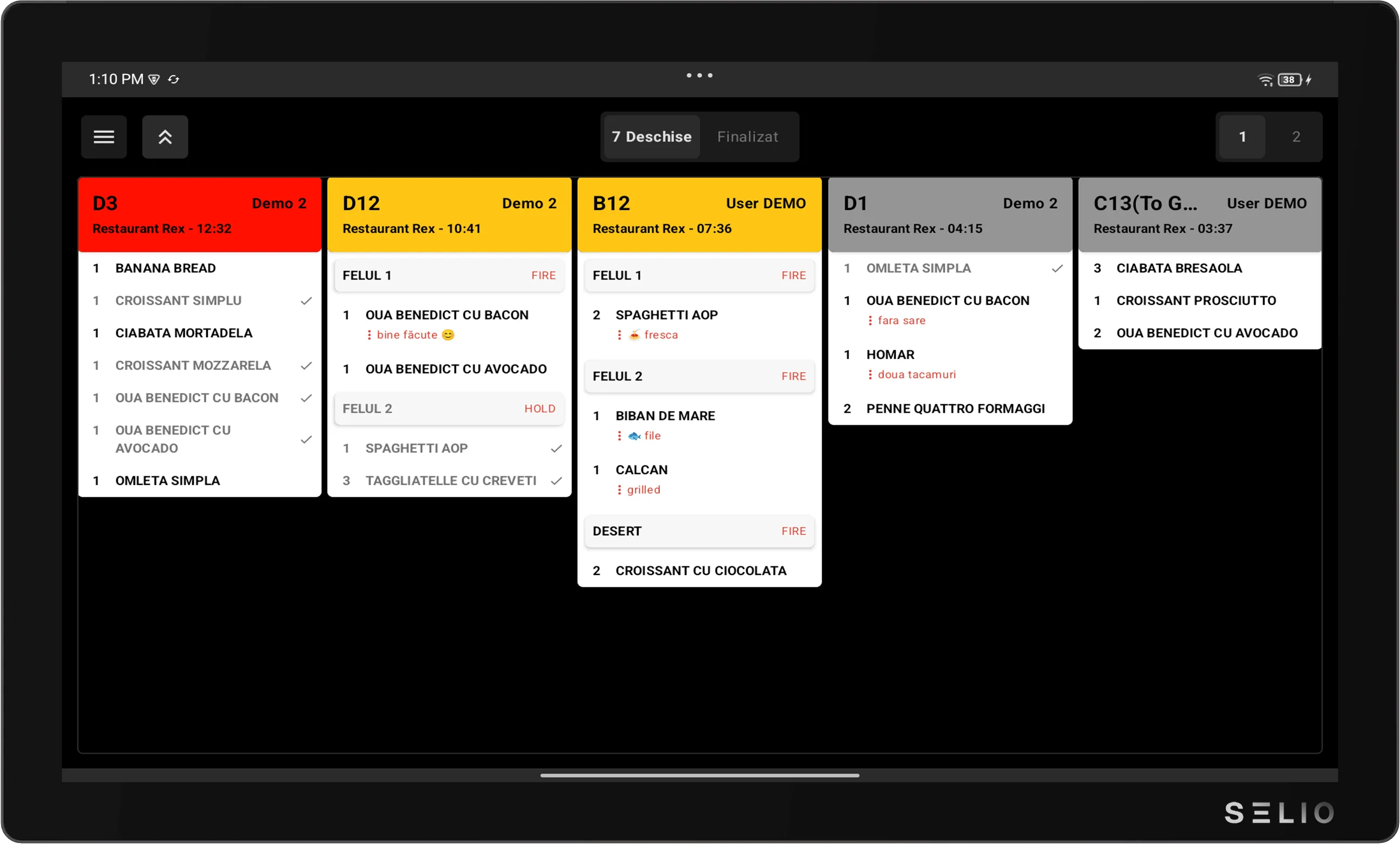
Give every screen one job
A kitchen screen should make the next action obvious. Before a rush period, confirm which station each screen supports and which team member owns it.
Check prep-station routing
Route orders to the station that will act on them. If one product group needs a different preparation path, review that routing before the rush begins.
Align on order states
The team should understand what each order state means and when to move an order forward. A shared language reduces duplicate questions during service.
Use rush routines deliberately
During a rush, do not redesign the setup. Use the agreed actions, keep stations focused, and adjust after service when the team can review what happened.
Review missing or delayed orders
If a station reports a missing order, check the order path first: device, station, route, and state. That keeps troubleshooting tied to the operational flow.
Selio in practice
Take the idea and use it during service.
For exact steps, use the Support Center. For fit and setup questions, talk with Selio about your business.
25+ years in HoReCa, with experience in operations, workflows, and inventory.